





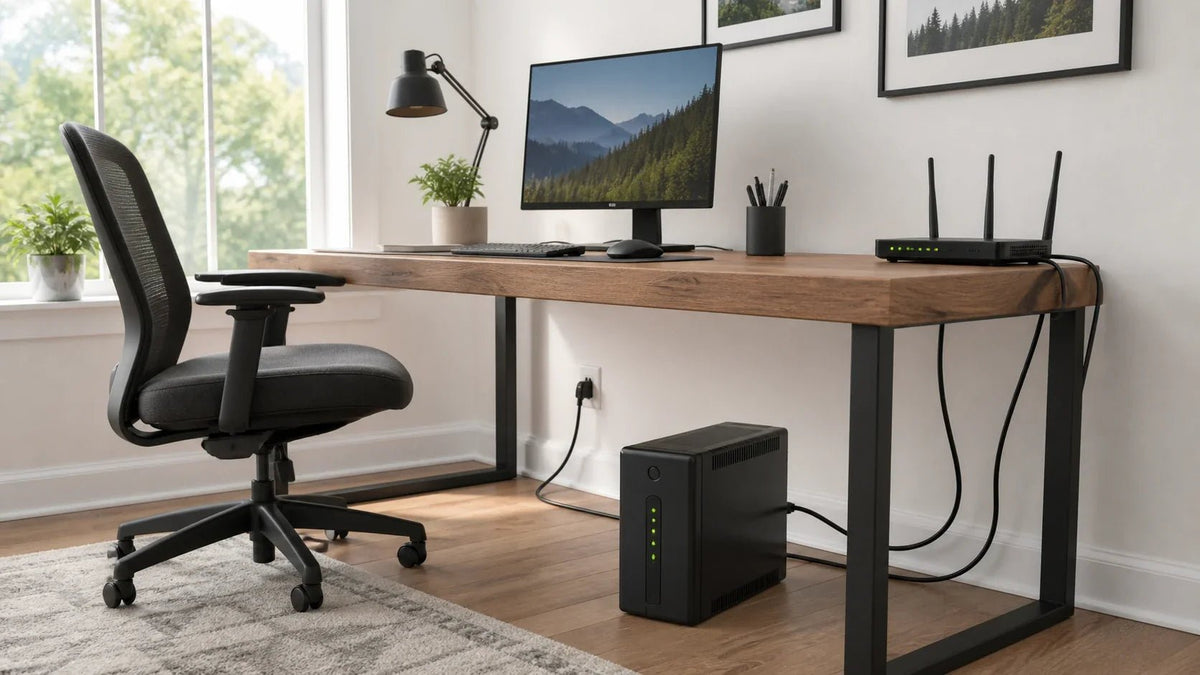
What Does UPS Stand For? A Simple Backup Power Guide
UPS stands for uninterruptible power supply. A device that supplies backup electrical power to computers, routers, servers, and other electronics. When power from the wall stops, the UPS draws energy from its internal battery.
Think of it as a short bridge across power interruptions. It can prevent an instant shutdown, help with preventing data loss, and give you time to safely shut down your equipment.
Many UPS units also protect devices from voltage changes and certain power surges. In shipping, UPS can mean United Parcel Service. In a computer or electrical setting, the UPS meaning is almost always uninterruptible power supply.

What Does a UPS Do?
A UPS keeps important electronics running when the main power source fails. A common form of battery backup for computers, home networks, and small servers.
A UPS can help protect:
- Desktop computers
- Wi-Fi routers and modems
- Network storage devices
- Security systems
- Smart home hubs
- Sensitive equipment
- Small servers
The U.S. Department of Energy explains that a UPS uses switches, power converters, and stored energy. These parts work together to maintain power after an input failure.
A UPS does not provide endless backup power. It runs until wall power returns or the battery reaches its shutdown level.
How Does a UPS Work?

A UPS sits between a wall outlet and the devices you want to protect. It checks the incoming AC power and responds when it finds a problem.
The process has four basic steps:
- The UPS checks wall power. It tracks the voltage and other power conditions.
- It charges the battery. The internal battery stores energy for a future outage.
- It responds to power loss. An inverter changes the battery’s DC energy into AC power for connected devices.
- It returns to normal operation. The UPS recharges its battery after wall power comes back.
This change happens on its own. You do not need to unplug or move your devices.
Some UPS units take a few milliseconds to move from wall power to battery power. The exact transfer time depends on the design.
What Are the Three Main Types of UPS?
The Eaton UPS guide outlines three widely used UPS design types.
Standby UPS
A standby UPS sends wall power directly to your devices during normal use. When it detects a power failure, it switches to its battery.
This type works well for home computers and basic electronics. It offers simple backup protection at a lower cost than more advanced systems.
Line Interactive UPS
A line interactive UPS can correct certain voltage changes without using its battery. It still moves to battery power during a full outage.
This design fits workstations, home networks, and places with frequent voltage problems. It provides more power control than a basic standby model.
Online Double Conversion UPS
An online double conversion UPS continually converts incoming power before sending it to the protected load. The inverter keeps feeding the devices even when the input source fails.
A data center may use this type for servers and other sensitive equipment. It offers strong power control and avoids the normal transfer delay. The trade-offs can include higher cost, more heat, and greater energy use.
UPS vs Surge Protector: What Is the Difference?
A surge protector and a UPS solve different problems.
A surge protector limits certain voltage spikes. It cannot keep a computer or router running during an outage because it does not contain a backup battery.
A UPS includes a battery and responds to power failures. Many models also offer surge protection, but the protection level varies. Check the product rating before you connect valuable electronics.
Here is the key difference: a surge protector guards against certain spikes, while a UPS adds short-term battery backup.
UPS vs Portable Power Station: Which Do You Need?

A power station works more like a large, portable energy pack. It often offers greater battery capacity and more types of output ports than a small computer UPS.
Portable power stations are ideal for camping, traveling, job sites, and backup power at home. Some models can also recharge from solar panels.
Not every power station can act as a UPS. Some models require you to turn on the AC output by hand. Others may not switch fast enough for a desktop computer or network device.
If you are comparing a UPS with a portable power station, look for a supported UPS or EPS mode. Check the transfer time, AC output limit, and device rules in the product manual.
Choose a UPS when fast, automatic backup matters most. If you need long-term power, or want to run more types of devices, a portable power station or generator may fit better.
How Long Will a UPS Run?
UPS runtime depends on battery capacity and the total connected load. A unit with a light load will run longer than the same unit near its maximum output.
Battery age, temperature, inverter losses, and UPS design also affect runtime. The VA rating alone cannot tell you how many minutes the battery will last.
Start by adding the watts used by every connected device. Next, locate the product’s runtime chart and verify the outcome for that load. This method gives you a more useful estimate than battery size alone.
Most small UPS units focus on short outages and safe shutdowns. They do not aim to power a home through many hours of electrical power loss.
How Do You Choose the Right UPS?
Start with one simple question: which devices must stay on?
Then check these points:
- Power load: Add the watts used by every device. Confirm that the UPS supports both the total watt and VA load.
- Runtime: Decide whether you need time for a safe shutdown or a longer period of use.
- Transfer time: Check how quickly the unit moves to battery power.
- Output type: Make sure the output waveform works with your devices.
- Outlet layout: Some UPS units have battery-backed outlets and surge-only outlets. Review the labels before connecting anything.
- Battery care: Determine whether you can replace the battery and how the unit reports battery health.
- Safety: Look for a recognized testing lab’s mark. UL Solutions uses UL 1778 for UPS safety testing in the United States.
Battery capacity tells only part of the story. The UPS must also handle the full power demand of every connected device.
Common UPS Mistakes to Avoid
A few simple checks can prevent most setup problems:
- Do not connect more devices than the UPS can support.
- Use battery-backed outlets for devices that must stay on.
- Keep high-power tools and large appliances off a small UPS.
- Keep some clear space surrounding the air vents.
- Respond to battery warnings and test alerts.
- Test the setup before a real outage occurs.
Also verify the load after you add a new device. A setup that worked before may overload the UPS after an upgrade.
When Is a UPS the Right Choice?
A UPS makes sense when a brief outage could stop important work, break a network connection, or damage stored data. It offers fast backup power for computers, routers, storage devices, and similar electronics.
For longer outages or larger household loads, consider a portable power station or generator. A UPS focuses on quick support at the device level. Choose one by checking its power rating, runtime, transfer speed, battery care, and safety information.
Share:
What Size Generator Do I Need? A Clear Sizing Guide